Claude Code, Codex, Cursor and other agents
Tech Stack Diagrams from Your AI Agent
Ask your coding agent which tools to use, or to draw the stack you already have. Tekyous gives it the recommendation engine behind the stack builder's questionnaire, the curated stacks and the tools catalogue, with scores, pricing and trade-offs. It also draws any stack as a diagram with the tools' logos, for your README or to keep editing in the builder.
Free, no sign-in and no API key.







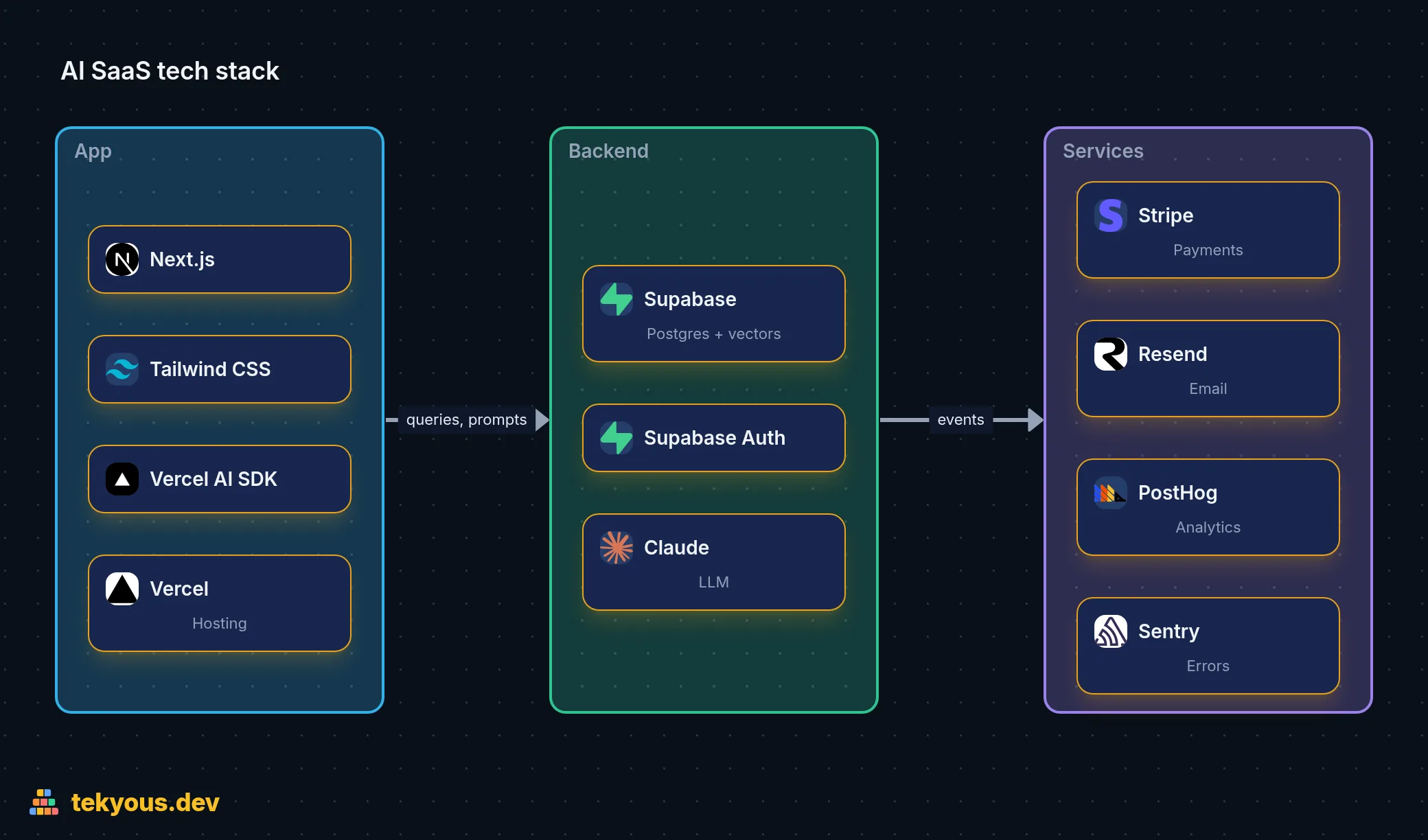
compose_diagram on the live server. Open it in the builder to edit it. Add it to your agent
Every way in draws the same diagram on the Tekyous server.
MCP server
Any MCP client: Claude, ChatGPT, Cursor, VS Code, Codex, Grok Build, Z Code and more
Five read-only tools: catalogue search, tool profiles, curated stacks, stack recommendations and compose_diagram, which returns the picture and the builder link. Add one URL to your client.
Remote MCP server URL (streamable HTTP)
https://mcp.tekyous.dev/mcpAgent skills
Agents with a shell: Claude Code, Codex, Cursor, Grok Build, Cline and more
Two skills that teach the agent the whole job. tech-stack-recommendation: ask what the project needs, check Tekyous's picks against it, explain the choice. tech-stack-diagram: read the repo, draw, save the PNG, write the README section. They use the MCP server when it is connected and call the same server with curl when it is not.
Terminal
npx skills add tekyous/agent-skillsPlugins and connectors
One install for a specific agent
Packages made for one agent: the MCP server and the skill together, installed in one step.
Claude Code plugin
The MCP server and both skills. The skills start by themselves when you ask which stack to use or for a tech stack diagram; you can also run them as /tekyous:tech-stack-recommendation and /tekyous:tech-stack-diagram. Grok Build installs the same plugin with grok plugin install.
In a Claude Code session
/plugin marketplace add tekyous/agent-skills
/plugin install tekyous@tekyousMCP server, skill or plugin?
- The MCP server gives the agent abilities: the catalogue, the stacks and the renderer. It works in every MCP client, chat apps included, and is the only way in for chat apps without a file system or shell (Claude, ChatGPT).
- The skills give it the workflow: work out what the project needs and weigh Tekyous's picks against it, or read the repo, draw, save and write the README section. They start by themselves when you ask which stack to use or for a tech stack diagram, without naming Tekyous, and work in any agent that reads skills.
- A plugin or connector is both, packaged for one agent and installed in one step. Where your agent has one, use it; elsewhere, add the MCP server and the skill.
Prompts to try
With the skills or a plugin, the agent recognises the request by itself. With the MCP server alone, naming Tekyous in the prompt helps the agent pick the right tools the first time.
1. Diagram the repository you are in
The agent reads the project's manifests, draws the stack, saves the PNG into the repo and adds the picture to the README, linked to the editable diagram.
Draw this project's tech stack with Tekyous, save the image into the repo and add it to the README.2. Get a stack recommendation and see it
The agent starts from Tekyous's recommendation for the project type and your experience, checks it against your constraints, explains each pick with its pricing and trade-offs, and draws the result.
I'm a solo developer building a SaaS with subscriptions, and I know some Python. Recommend a stack with Tekyous, explain the choices and draw it as a diagram.3. Compare tools for one part of the stack
The agent reads each tool's Tekyous profile: scores with their reasoning, pricing tiers, pros and cons, and how it fits with the rest of your stack.
Should this project use Supabase or Firebase? Compare them with Tekyous for our case: a small team, EU customers, and a Next.js app.4. Draw a stack you describe
Name the tools and how you want them grouped. Each tool is drawn with its logo; one Tekyous does not list gets a plain card with an icon.
With Tekyous, draw our stack left to right: React in the frontend, FastAPI and Celery in the API, PostgreSQL and Redis for data, Docker on Railway for hosting. Label the connectors.
What your agent sends
- The agent sends the diagram it wrote (tool names, group titles, notes and labels) or, for a recommendation, the project type, experience level and the tools it looks up. Never your files, environment values or keys; the skills tell the agent not to open
.envfiles. - Anyone with a diagram's image or builder link can see it, so keep anything private out of names and notes.
- No account, no cookies, no API key. Calls are logged without your IP address and kept 90 days; images are stored for 30 days.
More on the MCP server page and in the privacy policy.
Examples
- AI SaaS: the diagram above, open in the builder
- SaaS starter: the diagram on the MCP server page, with connectors between the groups
- The skills and plugin on GitHub: what they install, with an example README
- Canvas guide: what you can do with a diagram once it is in the builder
Something broke, or an agent drew something odd? Write to [email protected].